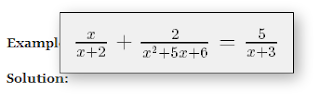
Here I'm testing a web app using what I learned in Dart flight school. I built the app and then uploaded the build folder to Google docs... embedded below in an iframe. Very easy using angular dart. Some LaTeX to try follows:
new line = \\ fraction = \frac{x}{y} square root = \sqrt{x}
---